Make a donation
Give tithes and offerings online, with PayPal, or by mail.
Updated October 5, 2026
Your tithes, offerings, and donations go to Christ Gospel Churches, and they're separate from your CGC app subscription: a donation doesn't change your plan, and your subscription isn't a donation. You can give online, with PayPal, or by mail, starting from the app or from the web.
Step-by-step guide
- 01
Step 01 / 05
Open Donations in the app
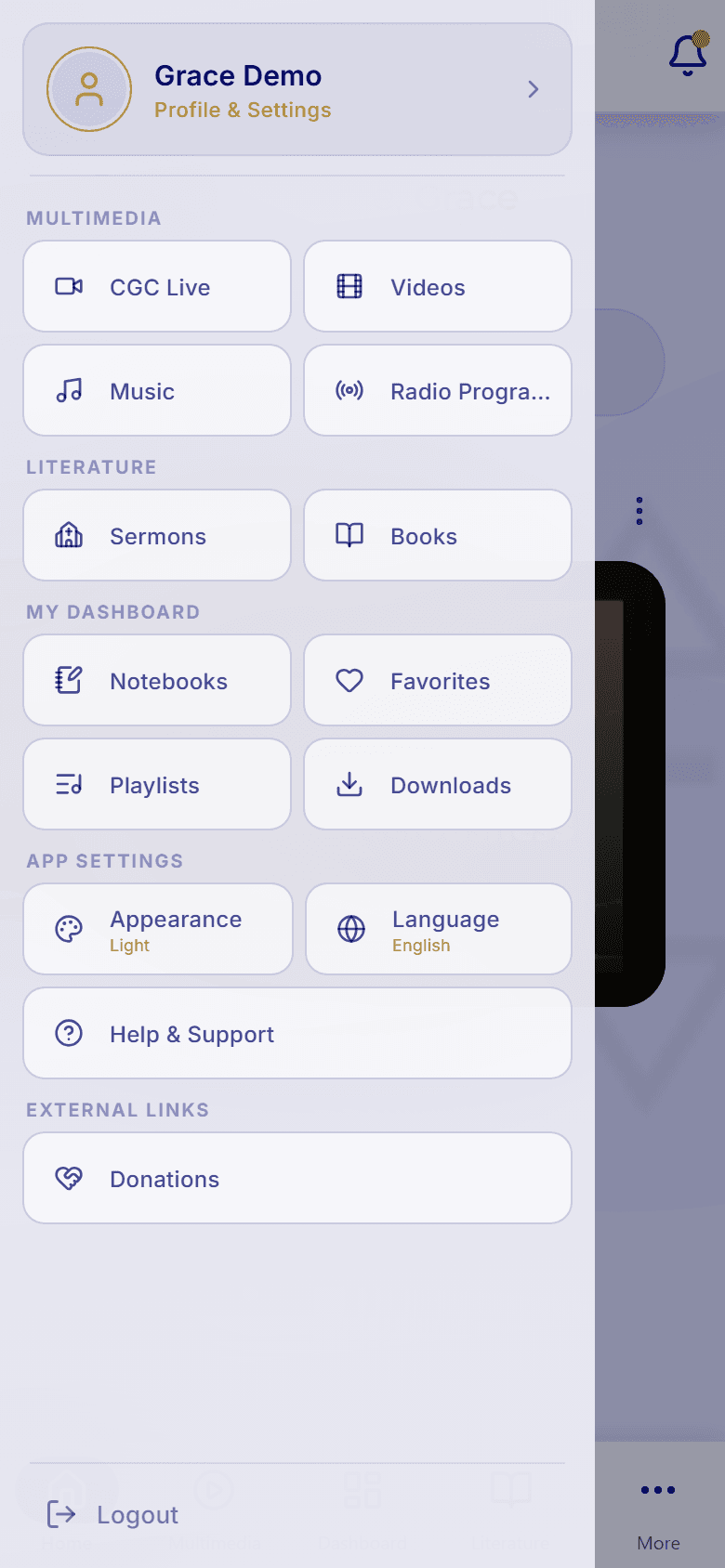
- On Home, tap the menu button (☰) in the top-left corner.
- Under External Links, tap Donations.
- Your browser opens the CGCII Tithe & Donation Portal, where you choose your church (next step).
On the web app at cgc.plus/app, the same Donations link is in the sidebar under External Links. It opens in a new tab.
- 02
Step 02 / 05
Pick your church
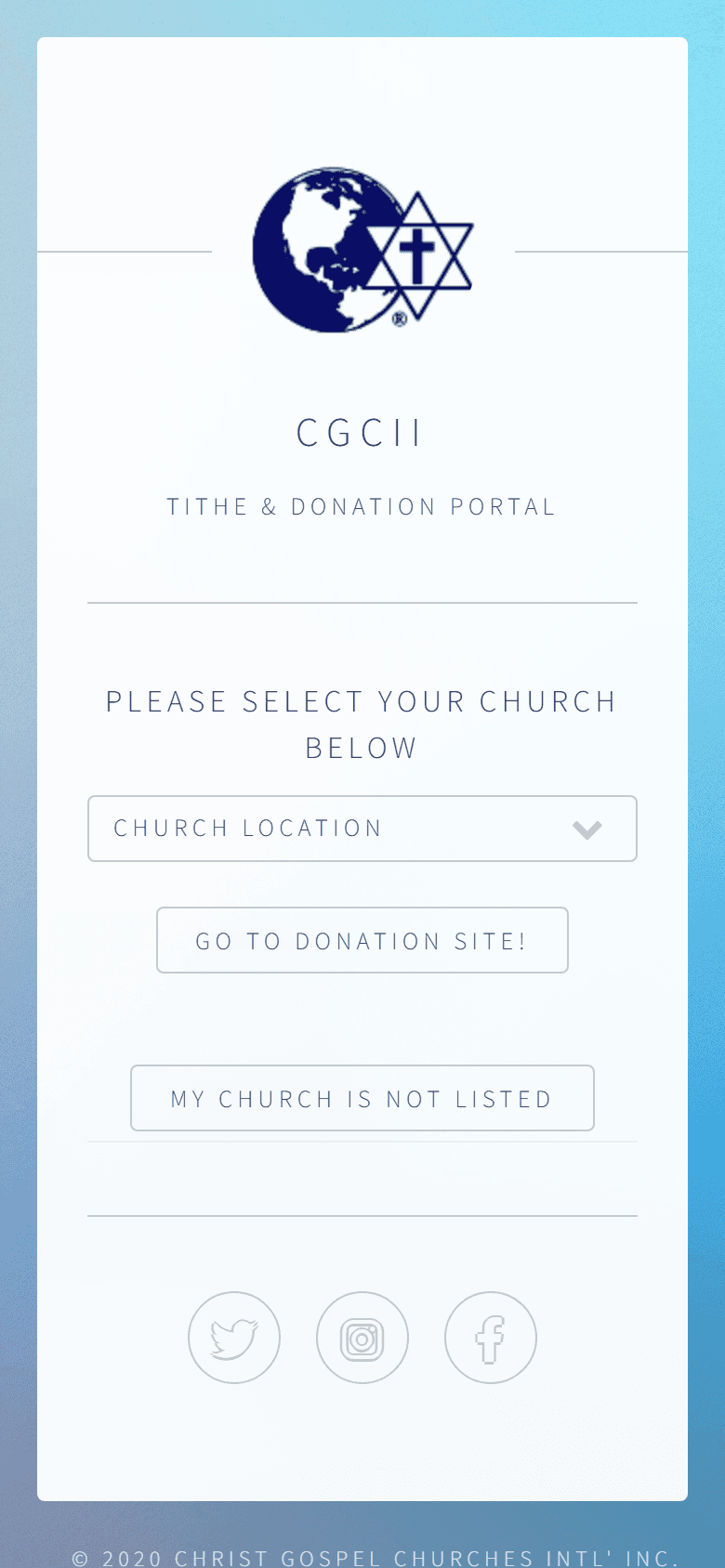
The portal sends your gift to the church you choose. It's in English only.
- Open the Church Location list and pick your church. To give to the headquarters church, choose Jeffersonville, IN.
- Tap Go To Donation Site! to go to that church's giving page. For headquarters, that's the online giving form (see Give online below). Most other churches receive gifts through PayPal, and a few use a different giving service.
- Don't see your church? Tap My Church Is Not Listed for the list of churches that receive donations by mail, with each church's mailing address.
- 03
Step 03 / 05
Or start on the web
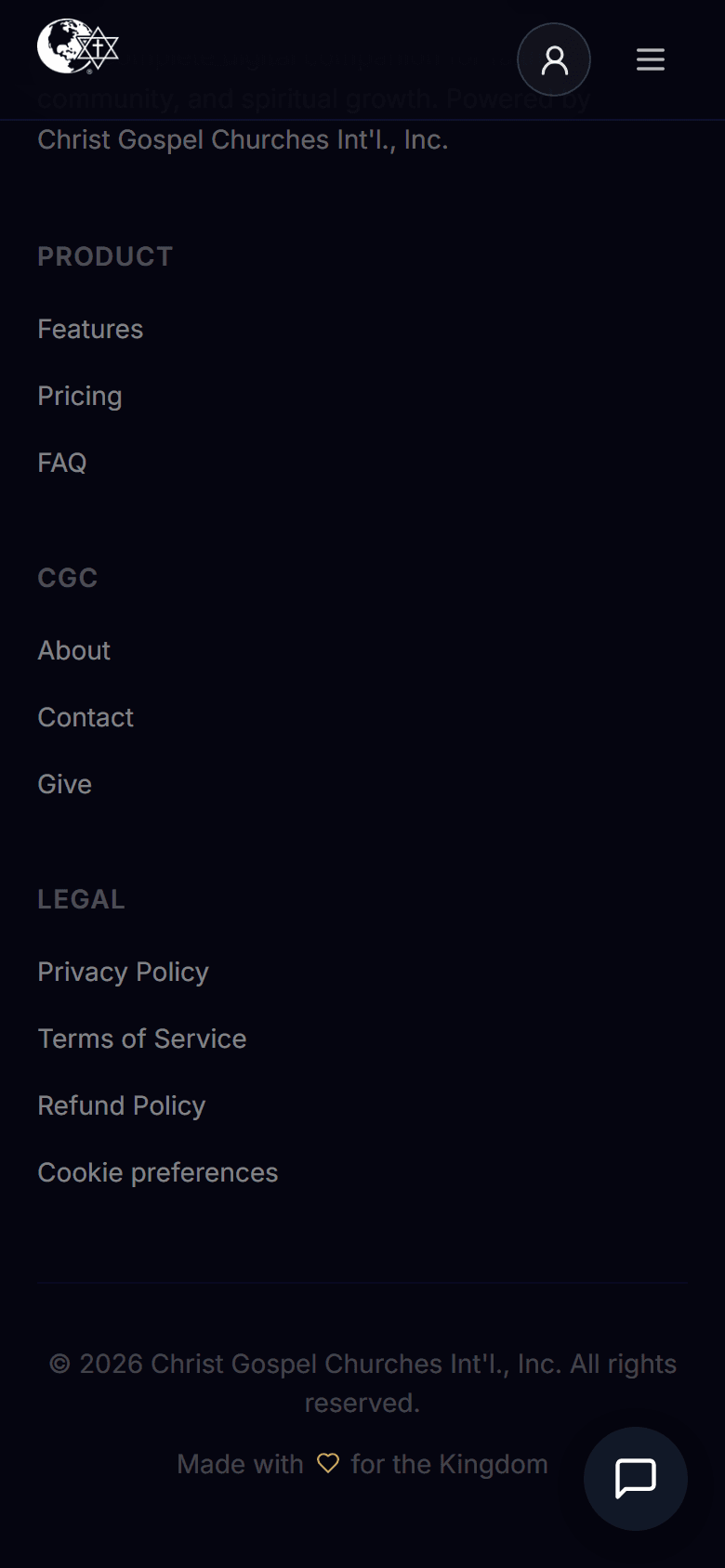
- On cgc.plus, scroll to the bottom of any page and select Give under CGC.
- In this help center, select Donate at the bottom of any page.
- Or go straight to christgospel.org/giving.
Each of these opens the Giving page of Christ Gospel Churches International, the headquarters church. To give to your local church instead, use the portal (see Pick your church).
- 04
Step 04 / 05
Choose how to give
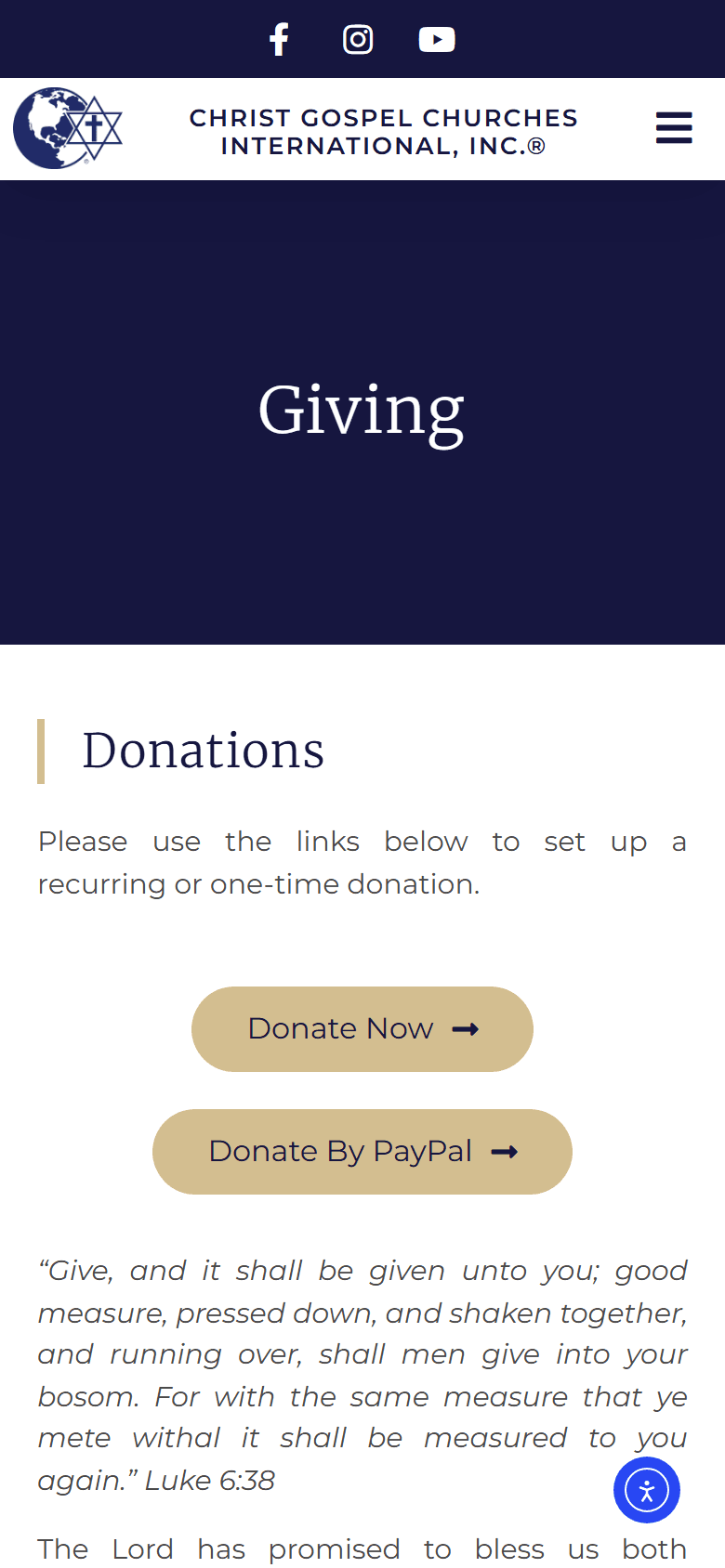
The giving page offers three ways to give:
Option What it does Donate Now Opens the online giving form for a one-time or recurring gift. Donate By PayPal Takes you to PayPal to complete your gift. Donations By Mail Shows the mailing address for cash or checks. Give with PayPal
Select Donate By PayPal and follow PayPal's steps to finish your gift.
Give by mail
Send cash or a check payable to Christ Gospel Churches Int'l, Inc. to: Attention: Treasurer, P.O. Box 786, Jeffersonville, IN 47131-0786.
To mail a gift to your local church, find its address under My Church Is Not Listed in the portal.
- 05
Step 05 / 05
Give online
Selecting Donate Now (or Jeffersonville, IN in the portal) opens the online giving form, powered by ShelbyNext.
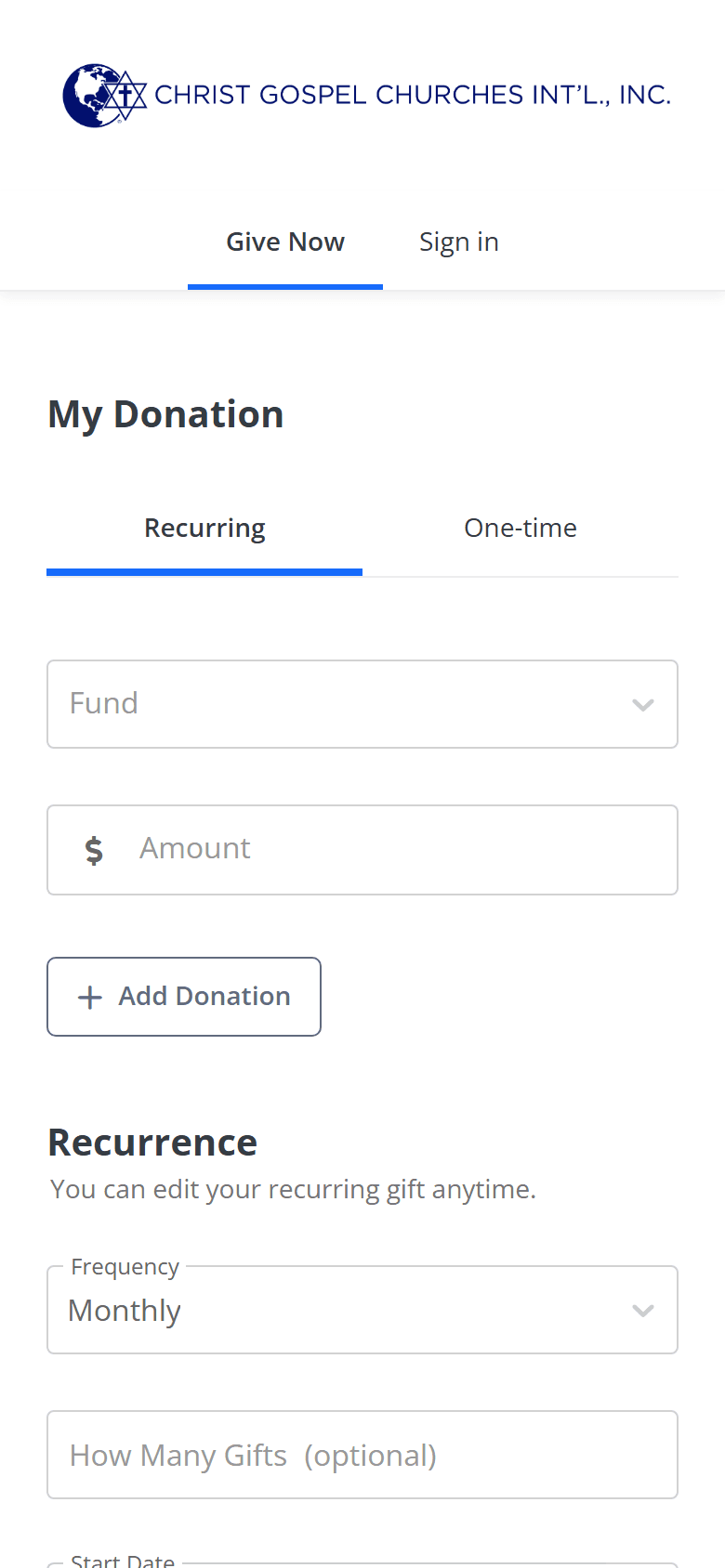
- Under My Donation, choose One-time or Recurring.
- Pick a Fund (TITHES, FIRSTFRUITS, Missions, ALMS OFFERING, or OFFERINGS) and enter the Amount. To split your gift across funds, tap + Add Donation.
- For a recurring gift, choose the Frequency. Monthly is selected for you; you can also pick Weekly, Bi-Weekly, Twice a Month, Quarterly, or Annually. Then choose a Start Date and, if you like, How Many Gifts.
- Add Additional Notes if you wish, tap Submit!, and follow the prompts to enter your payment details.
Change a recurring gift
The form notes that you can edit a recurring gift anytime: open the form again and use Sign in at the top.
Taxes and receipts
Christ Gospel Churches International is recognized by the IRS as a 501(c)(3) nonprofit, so your donations are tax deductible to the fullest extent allowed by law. For a receipt or a giving statement, contact the church office.
Questions about a gift
For anything about a gift you've made, such as a receipt, a change, or a refund, call the church office at (812) 282-8458. If you gave to a local church, contact that church. Donations are handled by the church, not by the CGC app, so these questions go to the church rather than to app support.
Looking for your app subscription instead? See Manage your subscription.