Downloads & offline
Save sermons, books, and music for offline use.
Updated June 4, 2026
Download sermons, books, music, and programs to your device so you can enjoy them without a connection — handy for flights, commutes, or saving data. Downloads live in the app (you won't see a download button on the website).
Step-by-step guide
- 01
Step 01 / 02
Download something
- Open any sermon, book, or track.
- Tap the download icon.
- Find it later under My Library → Downloads.
Walkthrough image coming soon - 02
Step 02 / 02
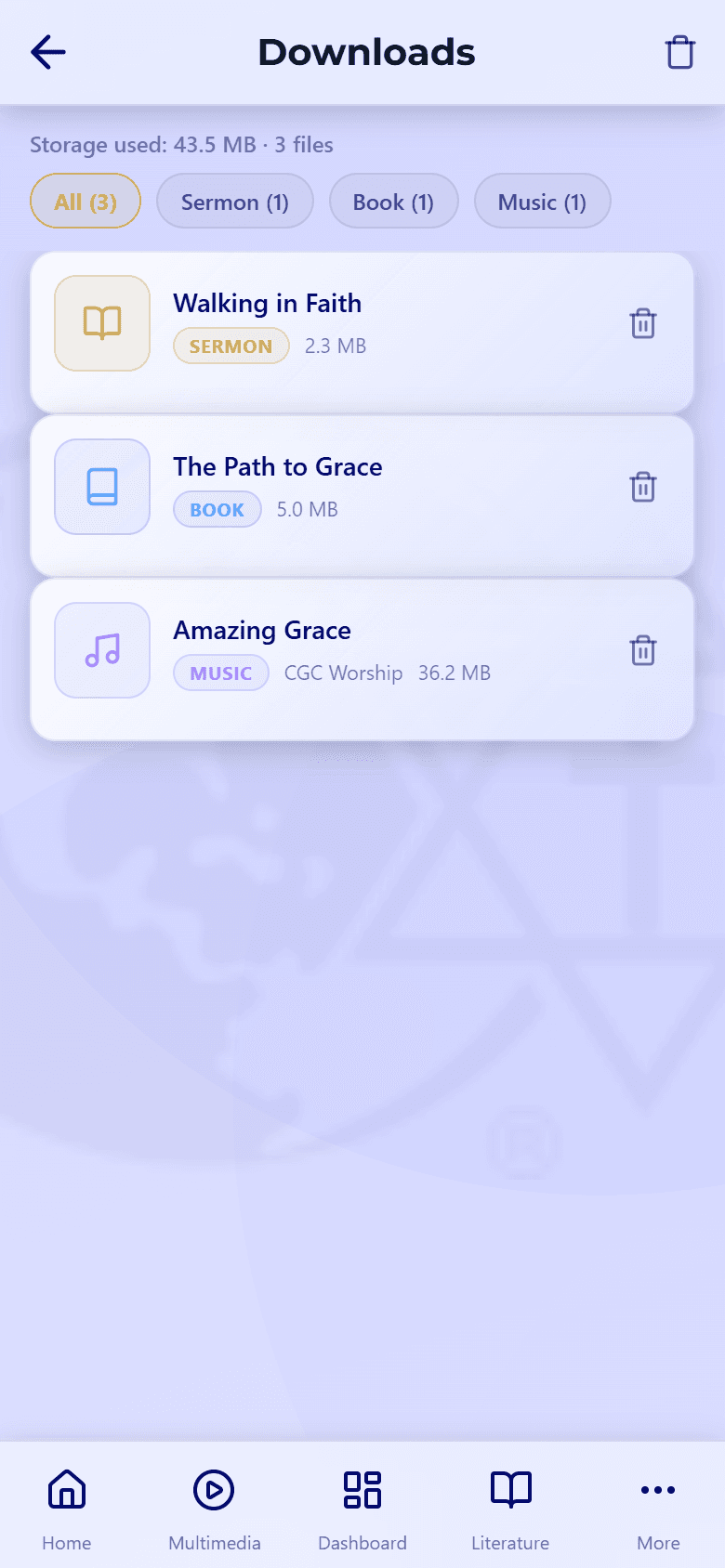
Manage your downloads
In Downloads, you can filter by type and see how much space you're using.
- Remove one: swipe left on it and tap Remove.
- Remove all: open Downloads, tap Edit, then Remove all.
Live and streaming-only items can't be downloaded. Your downloads stay on your device until you remove them or sign out.
Trouble downloading or opening a download? See Playback issues.