Create your account
Set up a free account in about two minutes.
Updated June 4, 2026
A free account is all you need to start — it saves your library, notes, and favorites and keeps them in sync on every device. Setup takes about two minutes.
Step-by-step guide
- 01
Step 01 / 02
Create your account
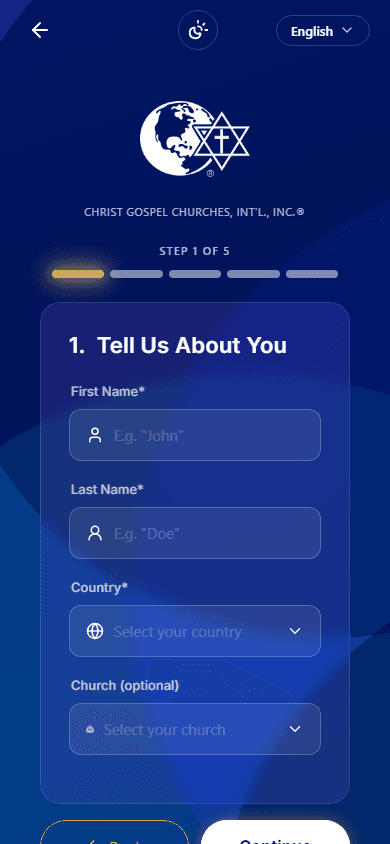
- On the welcome screen, tap Create account.
- Your info — enter your first name, last name, and choose your country.
- How we reach you — add your phone number (the country code fills in for you) and, if you'd like, your email. Pick how you want your code to arrive: text message, email, or both.
- Create a password — use 8 to 32 characters, with at least one uppercase letter, one lowercase letter, one number, and one symbol. The on-screen checklist turns green as you go.
- Review and agree — check your details, accept the Terms and Privacy Policy, then tap Create account.
- 02
Step 02 / 02
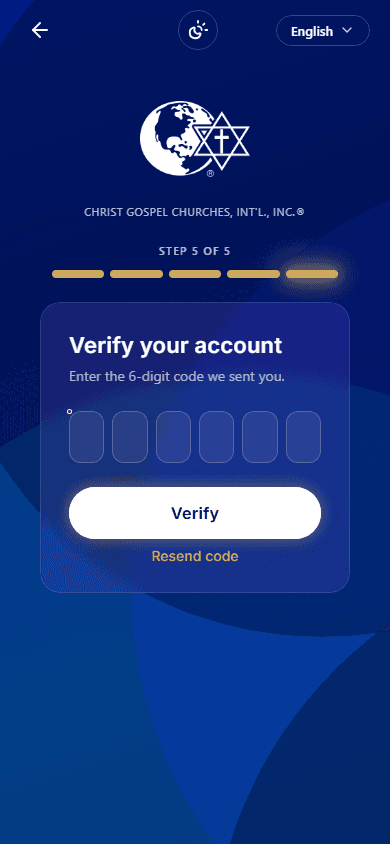
Enter your 6-digit code
We send a 6-digit code to the phone or email you chose. Type it in to confirm it's you — and that's it. You're signed in and ready on the free plan.
Didn't get the code? Check your spam folder and your signal, then tap Resend (it's available after about a minute). Still nothing? See I can't sign in.
On iPhone, Create account may open the sign-up page in your browser. That's normal — the steps are exactly the same.
Next: Sign in · Edit your profile · Coming from the old app