Playback controls
One familiar player for sermons, music, and radio programs (podcasts).
Updated October 1, 2026
Sermons, music, and radio programs (listed as Podcasts in the app) all use the same player, so the controls feel familiar wherever you are.
Step-by-step guide
- 01
Step 01 / 02
The basics
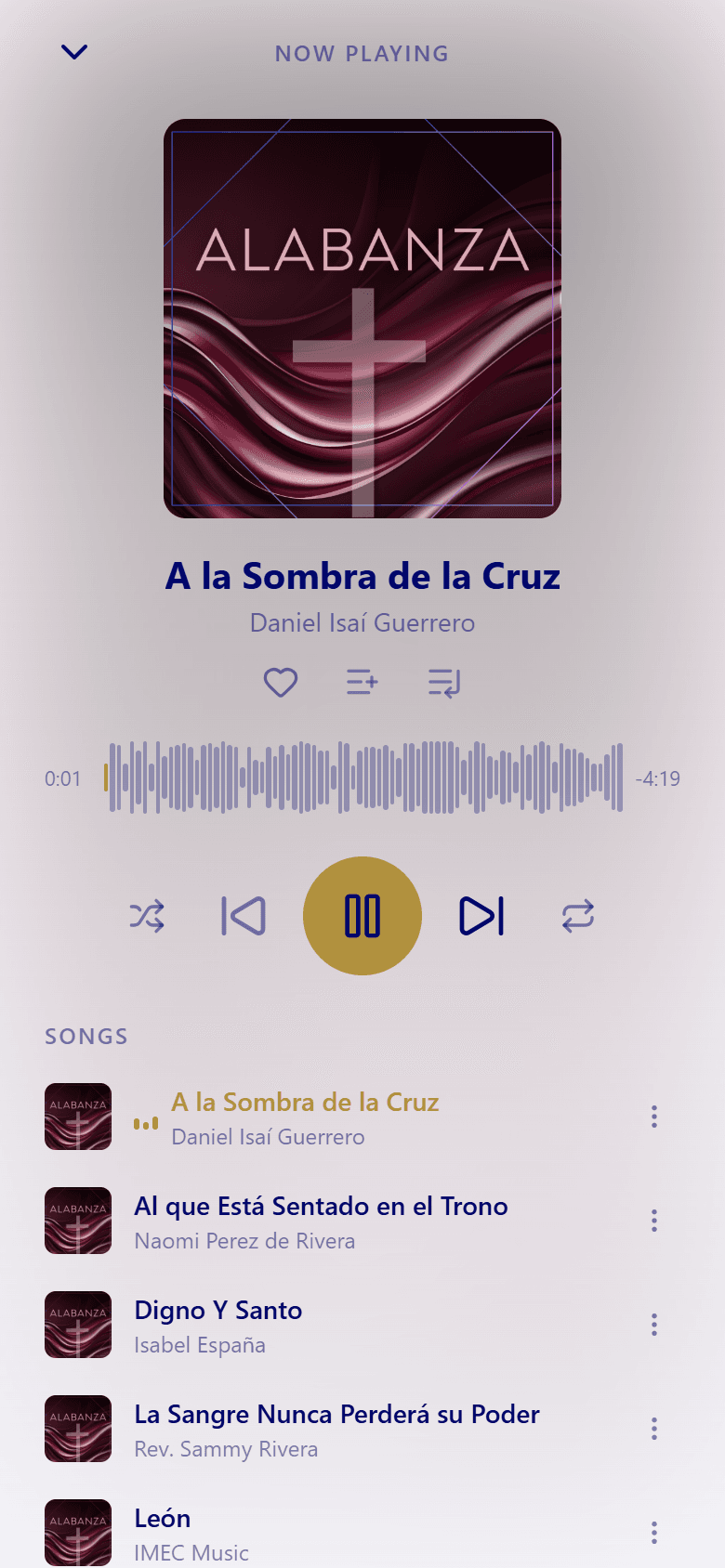
While something plays, a mini player stays at the bottom of the screen with Play/Pause and Stop. Tap it to open the full player, and swipe down to close it again.
In the full player:
- Play and pause with the center button.
- Previous track and Next track move through your list.
- Drag along the waveform to jump to any point.
- Shuffle mixes the order, and Repeat switches between off, repeat all, and repeat one.
- The heart adds a song to your favorites, and the other buttons add it to a playlist or to your queue, the list of what plays next.
Audio keeps playing in the background when you switch apps or lock your phone, and you can pause or skip from your lock screen.
- 02
Step 02 / 02
Pick up where you left off
Sermons and radio programs remember where you stopped. Open the same one again and it continues from that moment on its own. There's no button to tap.
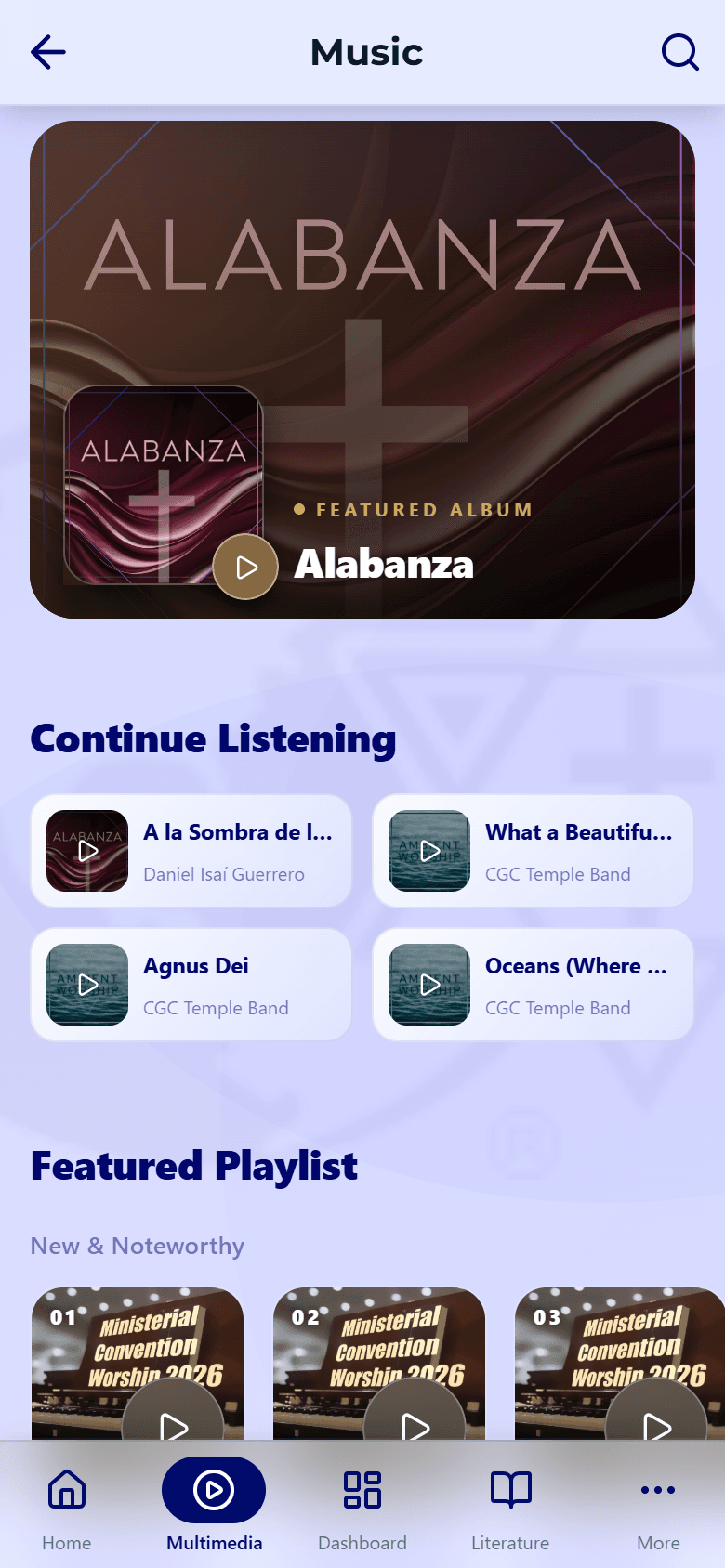
For music, the Music screen shows what you played recently under Continue listening. Tap a song to play it again.
To keep listening without a connection, download an item first — see Downloads & offline. If something won't play, try Playback issues.